
Fix 1: Confirm the full 232 MB downloaded
Open your Downloads folder and check the file size. If it shows anything less than 232 MB, the transfer was cut short and Android will throw a parse error. Delete it and re-download from the Pokemon Arena 2D APK download page on Wi-Fi with the screen kept awake.
All fixes below target the current file detailed on the Arena 2D APK homepage.
Fix 2: Remove conflicting old copies
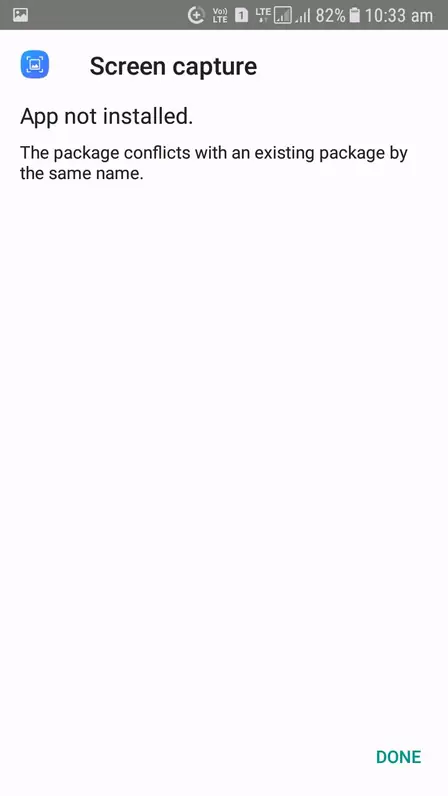
App not installed almost always means a previous Pokemon Arena 2D copy signed with a different key is still on the phone. Uninstall every trace of it, restart the phone, then install the new file fresh. Installing over a mismatched signature never works.
Fix 3: Allow installs from your browser
When Android asks, grant your browser the install unknown apps permission. Without it the installer button does nothing. This is a per-app permission, so enabling it for your browser does not affect anything else.
Fix 4: Free up storage space
You need roughly 1 GB free: 232 MB for the APK plus unpacking room. The install bar freezing near the end is the classic symptom. Clear cached data or move photos off the phone, then retry.
Fix 5: Reinstall to fix the black screen
If the game installs but shows a black screen on launch, storage permission was denied. Uninstall, reinstall, and accept the storage prompt the first time it appears. Skipping it breaks the data unpack every time.
Fix 6: Check your Android version
Pokemon Arena 2D needs Android 5.0 or higher. On anything older the installer refuses outright. Check under Settings, About phone. If your device qualifies and nothing above helped, the full Pokemon Arena 2D install guide covers the clean-install path step by step, and the homepage lists the tested device lineup.